Overview
Playwright Slack Report sends your Playwright test results to the Slack channels where your team works. Use it as a reporter that runs with your tests, or as a CLI that publishes an existing Playwright JSON report after your CI jobs finish.
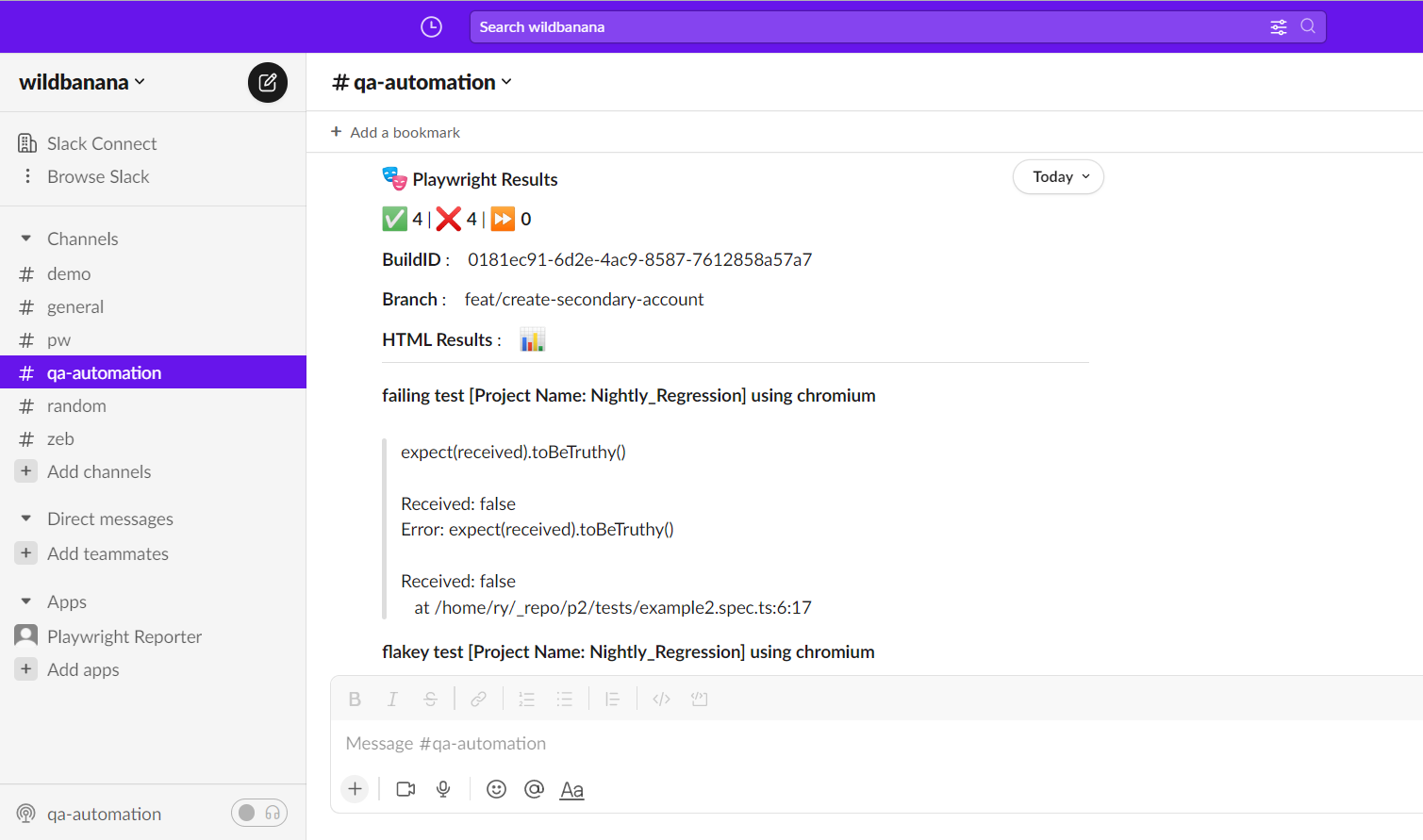
Features
- Channel delivery: send a summary through an incoming webhook, or use a Slack bot to post to one or more channels.
- Conditional notifications: report every run, only unsuccessful runs, or only runs containing flaky tests. Bot reports can route successful and unsuccessful runs to different channels.
- Flaky test details: show test names and actual retry counts, with optional
on-flakyalerts. - Run-level failures: report global errors, timeouts, and graceful interruptions, even when no individual test failed.
- Readable details: limit failure and flaky details, or use a bot to put them in a thread beneath the summary.
- Build context: include metadata such as branch, build ID, commit, and links to reports.
- Custom layouts: create Slack Block Kit messages with synchronous or asynchronous callbacks, including examples for screenshots and videos.
- CLI and sharding: publish Playwright JSON results, including one merged report from multiple shards.
- Transport configuration: configure proxies, logging, and link unfurling.
Choose when to publish
| Workflow | Use it when | Start here |
|---|---|---|
| Playwright reporter | You want a Slack report when a test run finishes. Configure it in playwright.config.ts. | Getting started |
| Standalone CLI | You already have JSON results, or want to merge shards and publish once from a separate CI step. It uses its own configuration file. | CLI and sharded runs |
Choose how to connect Slack
Both workflows support webhooks and bots. Choose one connection per report.
| Capability | Incoming webhook | Slack bot |
|---|---|---|
| Credentials | Webhook URL | Bot User OAuth Token |
| Destination | Channel selected when creating the webhook | One or more configured channels |
| Conditional notifications | Yes | Yes |
| Separate success/failure destinations | Use a bot for this | Reporter supports channel routing |
| Failure, global error, and flaky details | Inline | Inline or in a thread |
| Metadata and custom layouts | Yes | Yes |
| Setup guide | Incoming webhooks | Slack bot setup |
For a detailed comparison of all four reporter/CLI and webhook/bot combinations, see Feature comparison.
Your path to a first report
- Check prerequisites and install the package.
- Create a webhook or bot using the connection guides above.
- Add the reporter configuration and run your tests.
- Adjust notification rules, metadata, and detail limits.
- Explore the CLI or custom layouts as your needs grow.
To work on the package itself, see Contributing, including the consumer harness and website development guides.