Slack bot setup
Use a bot to send reports to multiple channels or put failure, global error, and flaky details in a thread. Complete the installation prerequisites first.
Create and authorize the Slack app
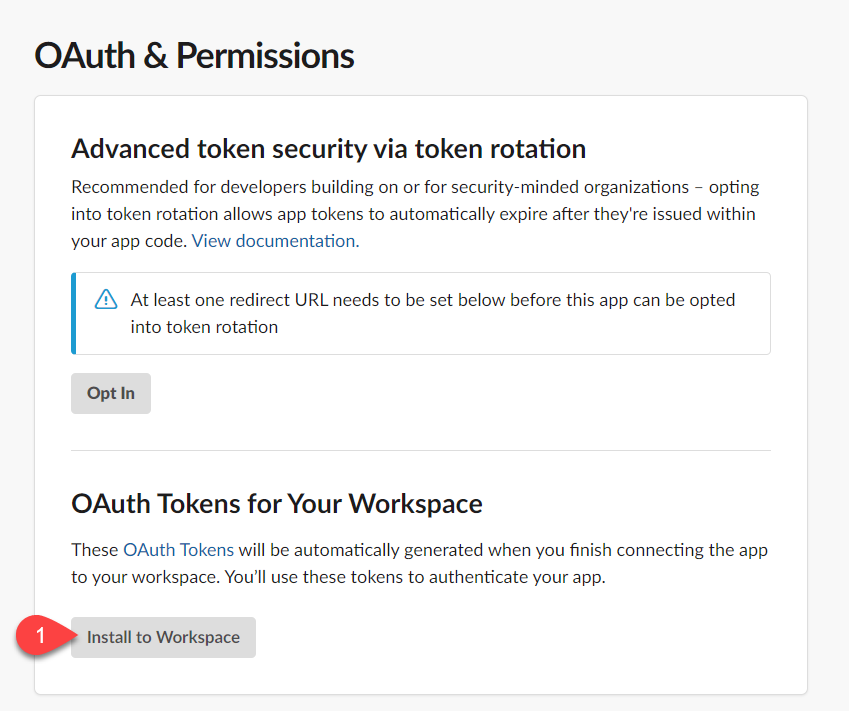
You need permission to create and install an app in your workspace; your administrator may need to approve it. The screenshots illustrate the setup flow; Slack may change the appearance of these screens.
- Navigate to https://api.slack.com/apps
- Click the Create New App button and select "From scratch"
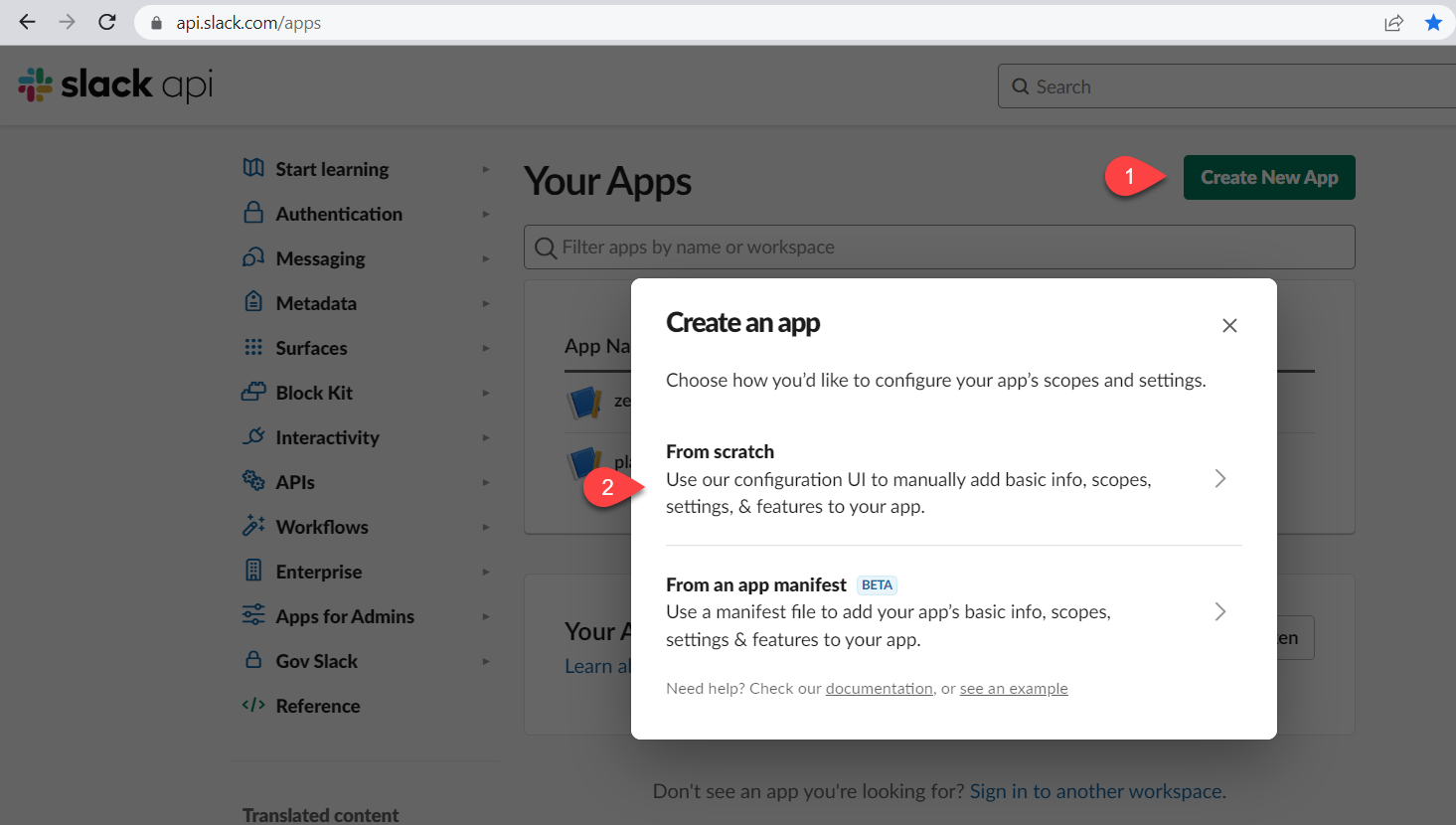
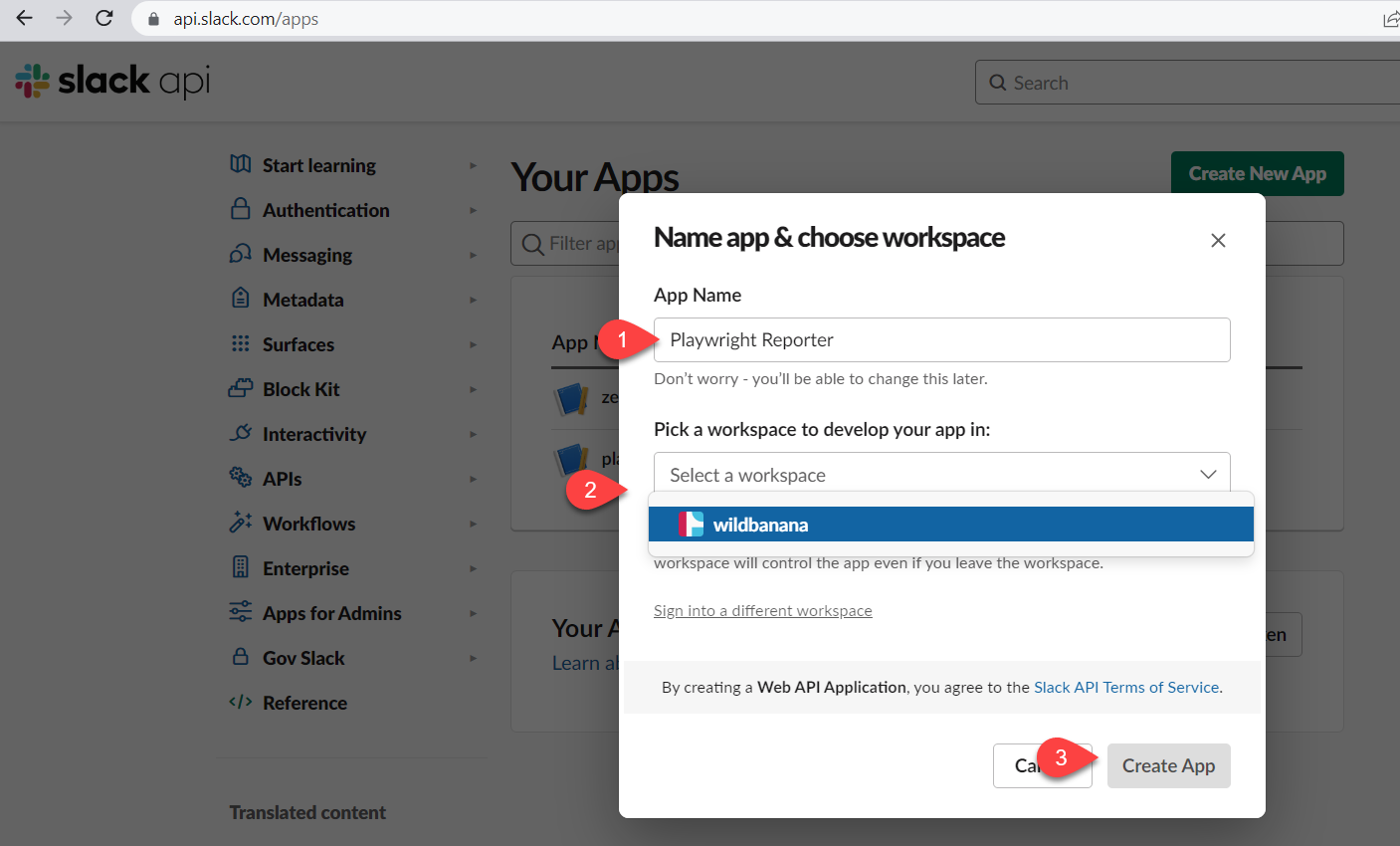
- Input a name for your app and select the target workspace, then click on the Create App button
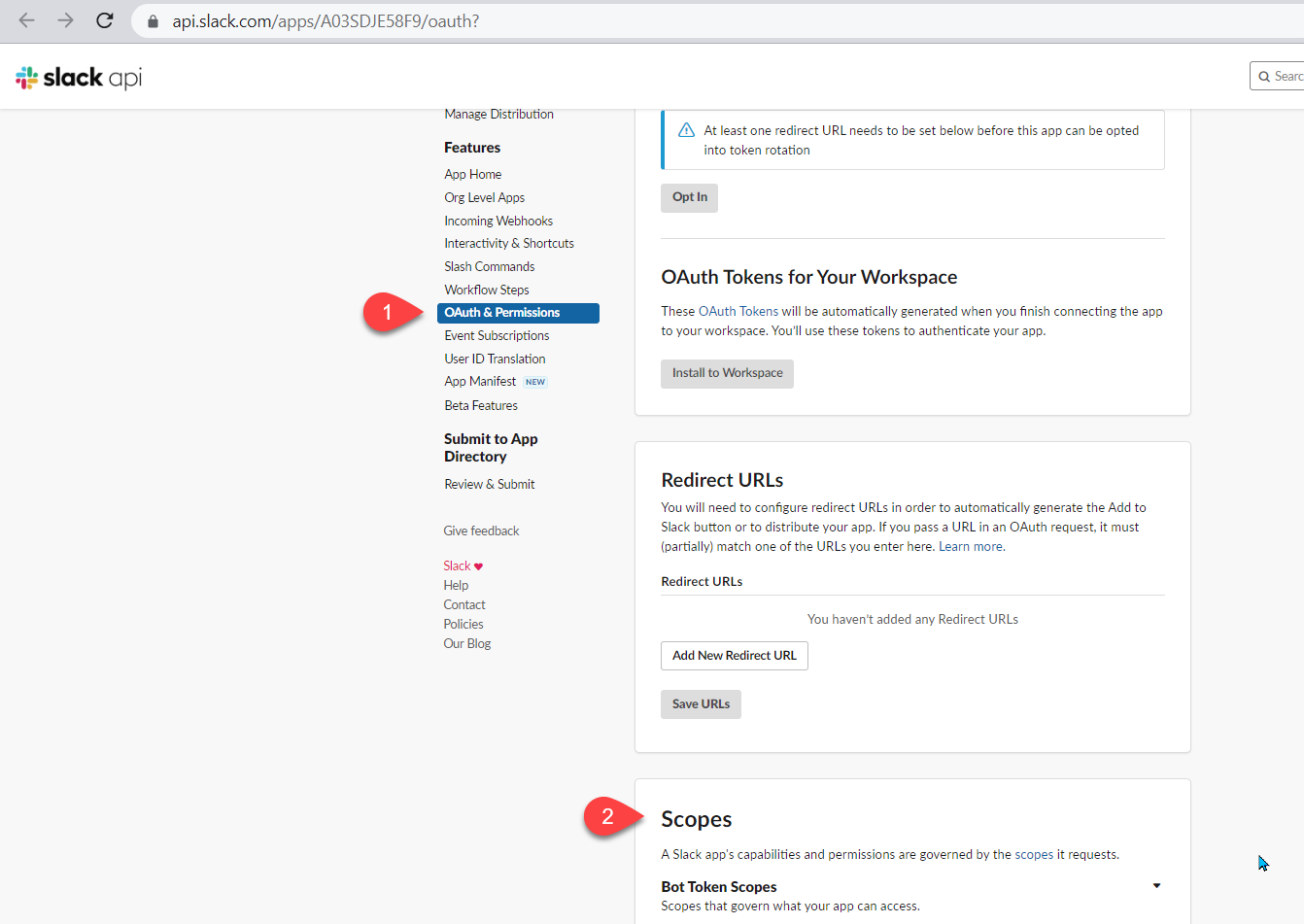
- Under the Features menu, select OAuth & Permissions and scroll down to Scopes section
- Click the Add an OAuth Scope button and select the following scopes:
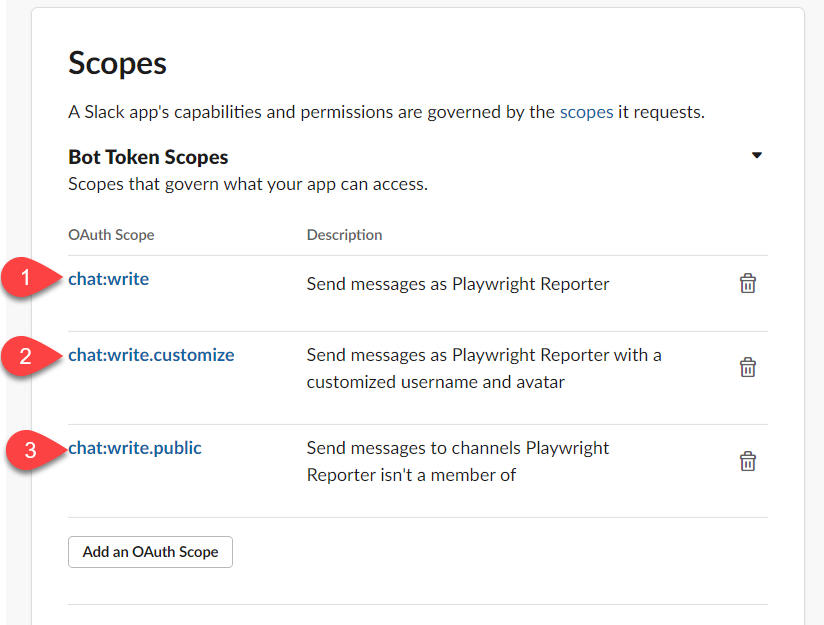
- chat:write
- chat:write.public
- chat:write.customize
- Scroll up to the OAuth Tokens for Your Workspace and click the Install to Workspace button
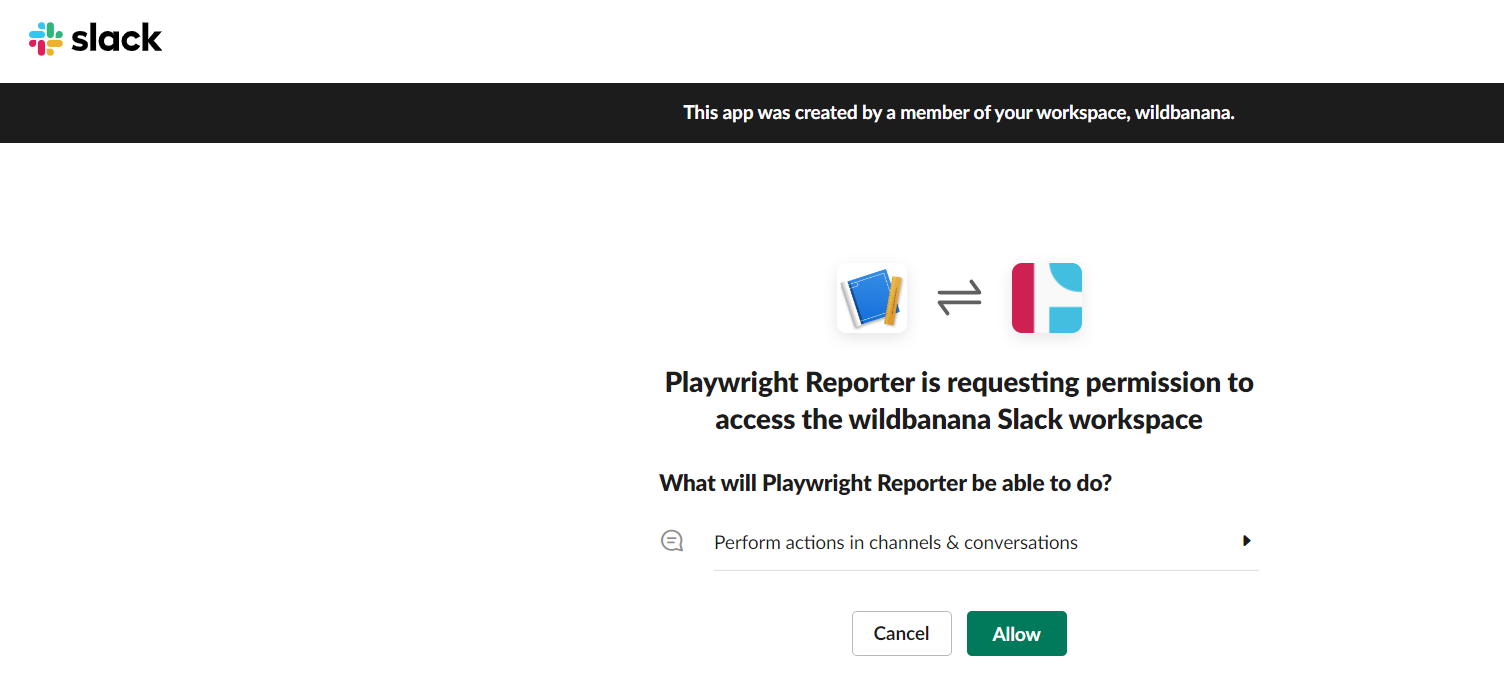
You will be prompted with the message below, click the Allow button
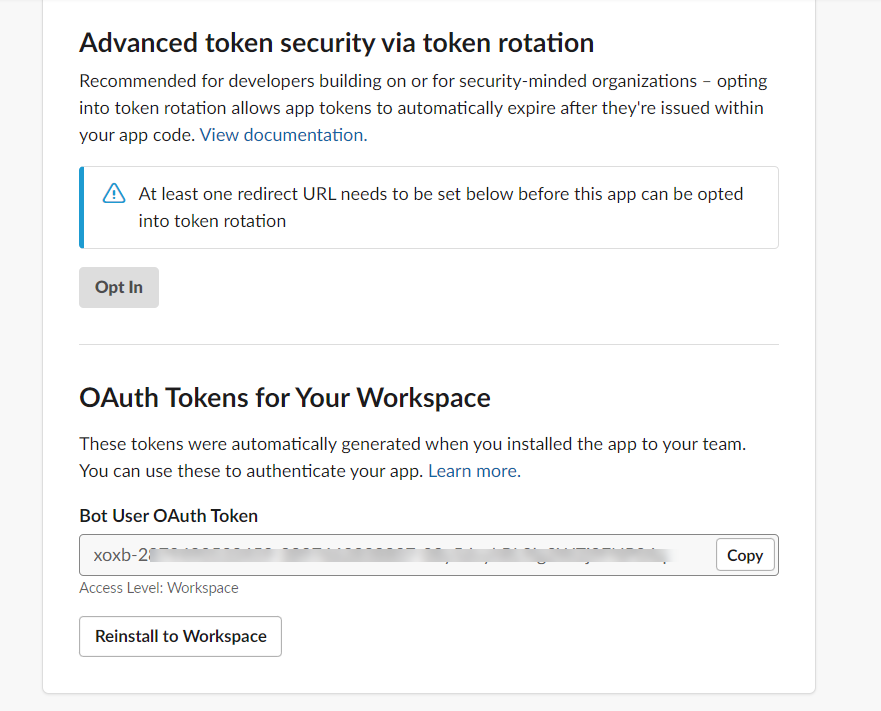
The final step will be to copy the generated Bot User OAuth Token aka SLACK_BOT_USER_OAUTH_TOKEN.
Treat this token as a secret.
Configure the reporter and run tests
Configure the reporter with one or more channel names:
import { defineConfig } from '@playwright/test';

export default defineConfig({
  reporter: [
    ['dot'],
    [
      './node_modules/playwright-slack-report/dist/src/SlackReporter.js',
      {
        channels: ['pw-tests', 'ci'],
        sendResults: 'always',
        showInThread: true,
      },
    ],
  ],
});
Run your tests by providing your SLACK_BOT_USER_OAUTH_TOKEN as an environment variable or specifying slackOAuthToken option in the config:
Bash / zsh
export SLACK_BOT_USER_OAUTH_TOKEN='xoxb-your-bot-token'
npx playwright test
PowerShell
$env:SLACK_BOT_USER_OAUTH_TOKEN = 'xoxb-your-bot-token'
npx playwright test
Public channel names work with the scopes above. For private channels, invite the bot to the channel and configure its channel ID. Slack requires membership for private-channel delivery; see Slack channel permissions.
The reporter posts a summary to each configured channel when the run completes. With showInThread: true, details appear beneath the parent summary. Do not also configure slackWebHookUrl.
Next steps
See Configuration to route successful and unsuccessful runs separately, control notification rules, and add metadata. For existing JSON results, use CLI bot delivery.